Space Clouds

Calypso Update 6.2.14

This week’s update will cover a few more bug fixes, a new feature for missiles and some more information about a new mission goal that will be coming to the game soon. Keep reading to find out more.

earthforce_turret

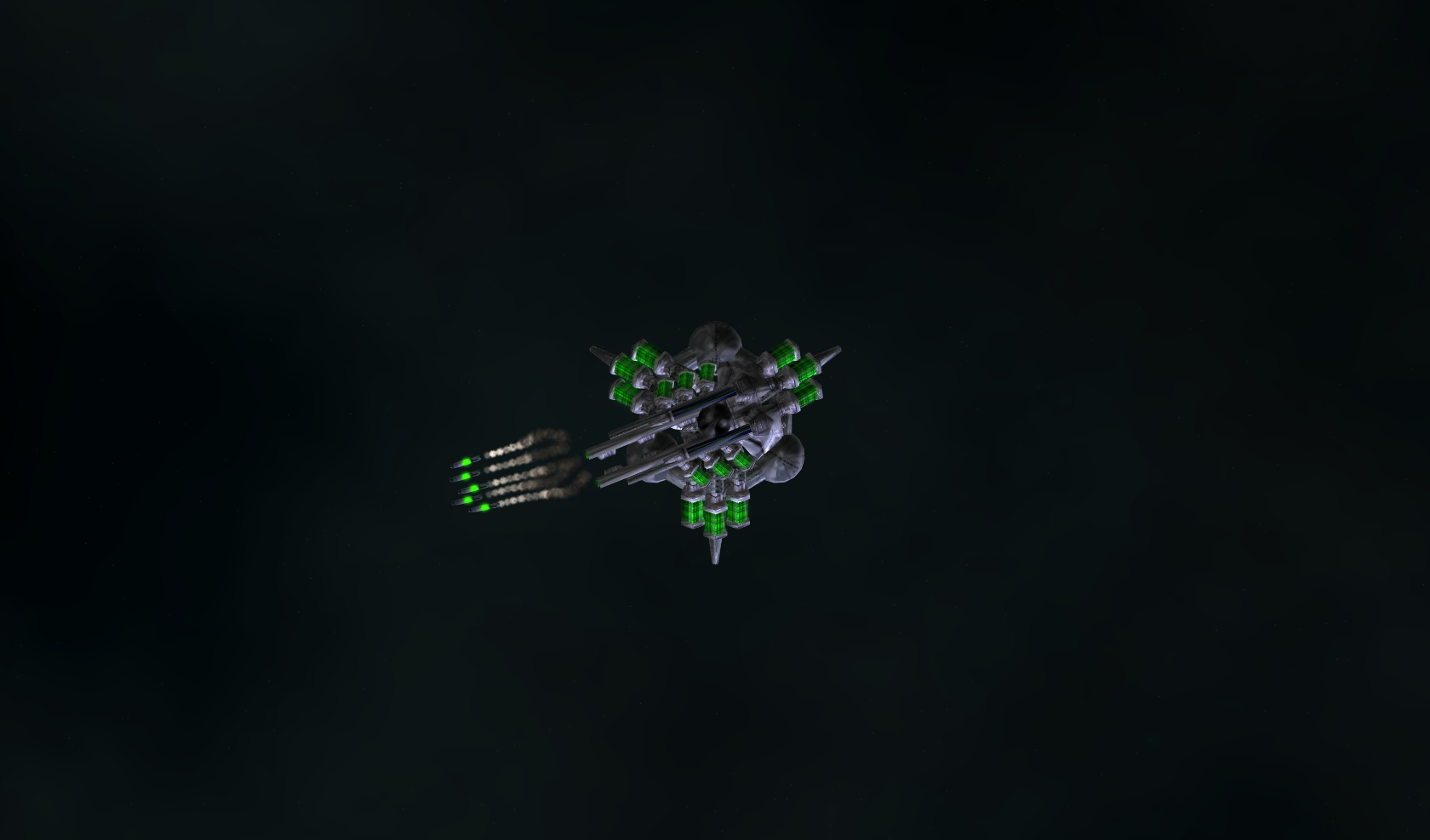
Since we’re mainly doing new player testing and small changes to the Nexus based on feedback at this point, I worked on a few smaller projects this week, the first of which was a new tag we can add to missiles. If a missile has this tag, and it’s being fired by an AI (but not a slave) it will tell the launcher to reduce the salvo count by half, rounded down. A lot of AI were unintentionally buffed when we redid missiles, this change is meant to bring the damage on Scruples, Shrimps and some other AI back in line. It also means going forward, we can more easily create missiles that both players and AI can use without having to worry about making the AI too powerful!  It also is a pretty big time saver now, and going forward, since without a tag like this we’d have to make all new AI variants of every missile!

I also did a bit more bug squashing! Among them included an issue with newly purchased drones ending up in a destroyed stack (and instantly destroying them), some issues with the damage auras in T22 zones and fairly exploitable bug involving slaves. These fixes should go live sometime soon.

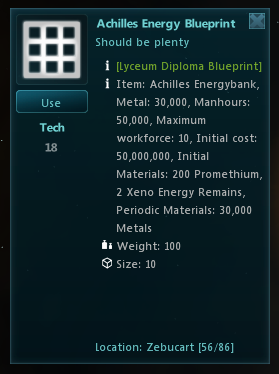
A few weeks ago I talked about the ‘egg carton’ mission goal that allows you to turn in multiple items from a set for a mission. I finally started implementing that goal in some missions this week. The first implementation was of course, the Lyceum Blueprint Missions. This new mission goal allowed me to reduce the number of those missions from over 50 to 2. Secondly, I went through the Augmenter Tweaking mission chain and replaced all the condenser missions with new ones using this goal. This allowed me to remove all the token missions!

lyceum_blueprint

Since I was working with the new goal, I also added a new slash-command to the client to control the tooltip display text for items that belong in a mission item set. I know that some people liked the idea of the tooltip text, some people didn’t, so this seemed like the easiest way to let people control it based on their preference. The command is “/toggleitemsetdisplay” and is turned on by default.

That’s it for this week’s update, feel free to post questions, comments or suggestions in the forums! I’ll be back again next week with another update, until then!

Calypso Update 5.27.14

This week’s update will cover some miscellaneous bug fixing and a few more tweaks to the Nexus! Keep reading to find out more!

nexus_paximinus

First, sorry about the delay in this week’s update. This weekend was a holiday weekend and yesterday I was on my way back from a mini-vacation (where I didn’t have internet access!). This past week saw another round of Nexus testing so I got another nice list of further refinements to make. At this point most of the issues found were minor mission bugs but there were some bigger issues raised that needed to be addressed.

First, there is a shortage of augmenters in the Nexus. I am sure everyone can agree augging your ship is probably one of the most important ways to increase your capabilities so augmenters need to be easily accessible in the Nexus. Currently, they aren’t. To increase the number of augmenters, we’ve added a few special ‘Rudimentary’ augmenters for sale in one of the Nexus bases. These augmenters are scaled at half the power of a minor augmenter, but they are always available. Secondly, there was an issue with buying Ship Upgrades. With the new Nexus, upgrades are entirely based on your Piloting skill and no longer check Equipment skill, however, the client was skill checking Equipment for error messages and throwing a warning dialog if you attempted to buy an upgrade you had piloting for, but not equipment for. This has been fixed and shouldn’t be confusing our testers anymore! I also added the indicator arrow that I talked about last week to a few more missions so it will be even easier to complete missions that require interfacing with UI elements.

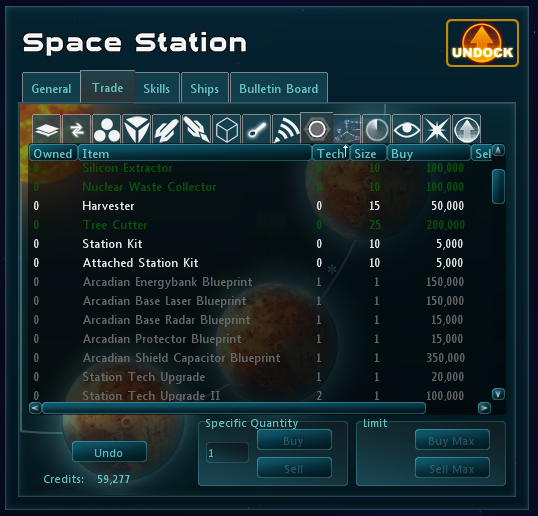
Along those lines I also added a new mission option called “open trade tab.” When accepting a mission with this feature enabled on that mission, a message will be sent to the client to open up the station’s trade bay to the appropriate tab. We have missions to purchase an item from the trade bay as part of the extended tutorial now and this makes them a lot easier to complete and simpler to understand. With all the work that has been put in, the revamped Nexus is definitely coming along and should be ready for next universe!

tradebay

With all the work going into the Nexus though, I did get a little behind on bugs and our tracker was definitely full of them. So I dedicated a bit of time to taking care of quite a few last week as well. So, here is a brief run down of some of the more interesting ones. I figured out what was going on with Herophilus 3000 spawning all of Tidepool at once, I fixed an issue with the Aveksaka device in Kumari, I recolored the trade bay colors to be a bit less harsh on the eyes and I also tracked down (hopefully) the rest of the issues with drone spawners and drone capture! All of these fixes should be live sometime soon, I am sure we will announce when we’re planning on patching again!

So that’s it for this week’s update, feel free to post questions, comments and suggestions in the forums! I’ll be back again next week with another update, until then!

Monthly Event Delay (sorry) and Scoreboard Update

So first off I want to give an update as to why the scoreboard on the website isn’t working. We are waiting on Jey to fix it, but unfortunately he’s been completely cut off from internet access due to extreme weather conditions for three weeks. Luckily he just got home today (like as I was writing this post). Yay! We’ll have an update later on this week with the status of that fix.

And yes, the monthly event didn’t get turned on and that was totally my fault. I’ve been moving since Thursday and doing way too many things outside of the house (appointments, meetings, blargh). I didn’t get computer and internet access until yesterday. But I’m back now as is Jey so things should start to return to normal. The monthly event will actually occur this Friday instead.

Thanks for your patience!

Calypso Update 5.19.14

This week’s update is going to discuss some of the changes made to Arctia and Vulcan based on the recent testing as well as another new GUI mission feature.

ice_and_fire

Firstly, I appreciate all the testing and feedback that was done after I made a request to check the new zones out two weeks again. I got some extremely good critiques, suggestions and bug reports and I’ve made a few changes to both zones based on that feedback. The two biggest changes made were related to sound.

Lavrite, the second boss in Vulcan, plays kind of like an old-school game of Snake. To accomplish this, he drops a stream of drones that damage the player if they get too close. With sound on, this ended up being a very noisy and annoying affair. To remedy it, I’ve added a new tag content developers can use to specify which sound gets played when a drone is deployed. I’m using this both in Arctia and in Vulcan to make the drones a bit more interesting (and Lavrite a lot less annoying). I’ve also added new sounds for both the Arctia and Vulcan AI using our new Attack Sound system that was added a few months ago as part of the Nexus revamp. Both these changes will make these two zones a lot better to listen to for players that play with sound enabled.

There were some other small changes and bugfixes, but listing them all would be rather boring for an update!

Secondly, I’ve added a pretty big GUI addition for missions in the form a new arrow marker. As part of refining the starting experience we’ve been working towards the ability to complete tutorial missions without having to read the mission dialog. For most goals, this is fairly easy, as objects in the gameplay field are plastered with mission marker (and given red flashing floaties). This however doesn’t work for mission goals involving GUI elements, such as ‘click your super item in the hot bar’. To remedy this, I spent a bit of time working on a new special mission indicator we can toggle with missions that has an absolute position in the GUI instead of a position relative to the gameplay field.

mission_arrow

When I finished and tested my first iteration of the ‘special indicator arrow’ it was extremely easy to ignore and kind of boring. To make it a bit more interesting I’ve also added a new GUI element animator to the client to make GUI elements bob. A bobbing arrow pointing at a button you need to click is a lot more visually interesting than a static one and overall I think it’s a lot harder to miss. It also gets us another step closer to the end goal of making our tutorial so easy to figure out you can skip the text!

That’s it for this week’s update. I’ll be back again next week with another update. Until then questions, comments and suggestions are always welcome in the forums!

Testing Contest Winners

This is why I don’t give dates, I jinx myself and end up more than doubling the time I estimated. But I am FINALLY happy to announce the winners of the Class Rebalance Contest. I’m pre-warning you, this post is going to be a Resident Evil Love Fest. We received 698 posts, and 84 distinct bug reports. Holy crap you guys rock.

We are thrilled with the feedback we got from the testing forum, and we’re hoping to have similar contests in the future (maybe something a bit more automated). Thanks to your efforts we caught some highly exploitable bugs from hitting live, and were able to tweak our balance changes.

Without further adieu here are your winners! These winners MUST private message me on the forums to discuss their prizes! If they do not they won’t get their choice of prizes!

Top 5: 

1-800-USE_THE_FORCE (This guy scored more than double the next on the list!)
topbuzzz
Johnston V2
your doom9
zogarn

Prizes for the Top Five are: Custom Ship Skin using the new skinning system, 20 Space Points, and their choice of three Imp Seals or a Trophy ship

Top 6-11:
(There was a tie in this group for the last position)

buggy
i love my life
Potential
PSS Metal
Pangea
Urzaserra2

Prizes for the top six through ten are: 20 space points, and their choice between three imp seals or a trophy ship. 

10 Point Achievers: 

Doctor Octogonapus
Lord Runningclam
Snakeyes.

Prizes for the ten point achievers are the new trophy ship! 

We are creating a new trophy ship for this contest, the Doge-age. If that’s a little too silly for you, the winners of trophy ships can choose to have the Nyan’s Reaver instead. The Doge ship will have the same stats as the Nyan’s Reaver so there is no difference. :)

Dogeage

If you felt as though you should have been on the leaderboard please PM me. Some posts were incorrectly formatted and did not include all squad character names as the rules stated and those people weren’t counted because we had no way to confirm.

It is my goal to have all prizes awarded within the first month of the new universe (so June/July), the delay is because the skins and trophy ship will require a patch.

Also, congratulations to Resident Evil for successfully holding the Emperor until the end of the universe (last uni of course). Can they hold it this universe?

Drone Size Revamp

Hello again everyone :) As I said in my previous blog post my next Quality Assurance and developer project was going to take a quick look at drone size, and in specific this means that I will look at the size of temporary drones across all levels – tech 0 to tech 22!

This is also a suggestion proposal open to all kinds and types of feedback and discussion, so you can have a large impact on what the final product will be!

noscoop

The reason to why I find this important is that several drones are way oversized compared to player ship hull space, just take a look at the Mini Blue Alpha Drone, with 48 size at tech 4 you pretty much need a Bulk Trader to use these drones in a tech 4 ship if you want any leftover hull space for gear and loot :) And another example is the tech 2 MagCannon Drone, with its 50 size it is the same size as the tech 20 Armada Inferno Drone! This just screams of unbalance :)

Drones have never had a proper balance sheet so with the help of yclepticon I made a size formula that gives us some guidelines to what drone size ideally should be. It gives us the power of designing each individual drone with modifiers towards their tech level, source, type of drone and so on :) From levels 16-22 I added a small additional increase to drone size because it seems that size is more appropriate at these levels than the levels from 0-16. And for you seers – I made a special value that lowers size on mines so they come out at 30% of the size of a regular drone :)

dronebalance

Here is a chart showing the new drone size values according to the new formula I plan to use. Pretty much all drones between tech 0-16 will see a rather drastic size decrease and from 16-22 there will also be size decrease as well but not to the same degree.

dronebalance2

The old sizes are shown in this chart above, where one can see that drones at tech level 0 started out at 15-20 size, and apart from a few exceptions, they normally ended up at around 30-40 size at tech 10. With the new sizes no drones below tech 10 will exceed 30 size, and drones between tech 0 and 5 will on average be reduced with 66% size. Drones between tech 5 and 10 will on average be reduced with 56% size, and between 10 and 20 on average 35% :)

Keep in mind that this is only a QA suggestion proposal, so I will more than gladly discuss this on the forum, and I welcome ideas and feedback :)

Calypso Update 5.12.14

This week’s update is going to be a little shorter and will cover some more upgrades and changes coming with the improved Nexus.

New Player - Star Sonata 2 - Space MMO

One of the main goals in reworking the Nexus was to improve flow and really give a new player a much better handle on the game. Recently, I just finished up two more mission goals to further augment the starting experience. The first of these is the use item goal. This mission goal is rather self-explanatory; it lets us specify an item the player has to use. The primary reason I added it was to showcase the starting super item on a new player’s Zebucart. Super items are extremely powerful for the low level player and can make their life easier so we felt it was definitely important to introduce them early. With the new use item mission goal we can easily do that now.

Secondly, I’ve added a docking goal so we can explicitly state to a player where they need to go. We can tell the player to dock places in mission text, but having a goal means we can plant a giant mission indicator over the base for the player to make a it a bit more obvious. We’ve been trying to remove as much docking as possible from the Nexus, but when we do want them to dock, we want to make sure a new player knows it and more importantly, where!

Other improvements have been made again with the UI functionality. Currently when you complete a mission that rewards an item, the game automatically opens up your main ship inventory. During our testing we noticed that it was a little annoying to always have to close your inventory when undocking, so the game also takes care of that for you now. This will only happen if the dialog was opened up by a mission though (so it won’t automatically close the inventory dialogs you open up yourself!).

That’s it for this week’s update! I’ll be back again with another update next week. Until then, feel free to post questions, comments and suggestions in the forums!

Double Team EXP is Live!

The micropatch is in and Double Team EXP is live! It will end on June 7th at 11:59pm EST. This micropatch also fixed the issue with the recent crashes. :D

Galaxies of Ice and Fire

Arctia and Vulcan, two new zones that will be coming with the next universe reset for lower level players, are up on test and need some playtesting!

ice_and_fire

At this point I’d like if some players can run through both areas and give me their overall impressions on the design, AI, bosses and loot. It’d also be great if some players could try the zones on characters that are level appropriate for the zones. For Arctia, this range is 20-50 and for Vulcan it is 20-100. This kind of testing is important because it lets us know if this area is properly tuned for players of the target levels! Feedback can be posted in the auto-generated forum post!

If you’d like to find out more about these two zones you can read both my previous posts about Arctia and Vulcan. If you’d like to help test log on to test.starsonata.com, port 3032.

Skin Creation Contest

For the past few months Jey’s special side project has been working on a skin system. This awesome system will allow you to purchase skins for your ship with space points! I know what some of you are thinking, “But I wanted CUSTOM skins, that I designed!” Fortunately for you, you still have the chance to nab a custom skin. Our current predicament is that we have the system, but we don’t have the skins!

Serengeti Zebucart Skin

Thus, we are launching a Skin Creation Contest. We’d ideally like to get two custom skins for each ship. That’s right, TWO FOR EACH SHIP. There are a lot of ships in game so that’s a LOT of skins to be designed, and there are a lot of you with amazing talent so why not make a skin creation contest with awesome prizes!

Rules of the contest

1. You may submit as many entries as you desire except only one skin per ship. This is mostly to allow other people to submit skins for their favorite ships.
2. You may only submit your own artwork or modifications to the default textures. You may not submit someone else’s art or modifications and claim it as your own. Plagiarism is an immediate disqualification.
3. When submitting your entry to the thread created by this post you must have certain things in your post in order for us to count it.

A screenshot of your skin in game
The texture.png file you modified
Optional: The specular map, normal map, and glowmap files. (If you worked with someone else on this part include their account name as well, only ONE person needs to post).

4. Being a jerk in this thread is grounds for immediate disqualification, be nice and respect others and their work.
5. You may work with someone else on your skin ONLY if your skin includes normal maps and/or specular maps. If you work with someone else make sure you include their account name in the submission, otherwise they won’t get the prize! You may also PM me with questions on this one.

Creating and Testing your custom skin

1. Navigate to the Textures folder in the Star Sonata 2 client and find the texture you want to modify. The default location is:

%APPDATA%\Roaming\Star Sonata 2\Content\Default\Textures\Ships

2. Copy the ship texture you want to modify to the skins folder in that directory.

%APPDATA%\Roaming\Star Sonata 2\Content\Default\Textures\Ships\Skins

3. Open that copied texture in an image editing program of your choice. Paint comes installed by default on windows systems. I personally recommend Gimp since it is a free Photoshop alternative that lets you make very powerful changes to an image.

4. Edit the texture to your heart’s desire and SAVE OFTEN. You might even save multiple copies of your texture just in case you make a change you’re not happy with.

5. Once you’re ready to see what your skin looks like in game make sure you save it, and then load up your Star Sonata 2 Client. We recommend setting up your Star Sonata 2 client for faster testing. Make sure that DDS Textures is unchecked, and preload textures is unchecked. Your client must be restarted in between each change to the skin.

6. Make sure you’re in the ship you want to test the skin on and type
/debug testskin skinname.png into the chat. You will be the only one to see your skin as these tests are local to your client. These file names are also case sensitive!

7. Once you’ve hashed out your design submit a cool screenshot of it and the .png texture file to the thread on the forums!

8. (Optional) If you know what normal maps and specular maps are you can create custom ones for your ship texture! Name your normal map skinname.png_NM.png and your specular map skinname.png_SP.png. To test those maps just add those file names to the command mentioned above. So

/debug testskin skinname.png skinname.png_NM.png skinname.png_SP.png

9. (Optional) If you would like to add glowmaps you need to grab the latest beta client. You can put your glowmap into the same skins folder as a .png. After you have the glowmap in the skins folder you’ll want to launch your client and type:

/debug glowmap glowmapname.png
/debug skintest texturename

(Note, the glowmap is a newer feature, and the instructions for glowmaps may be incorrect and the feature might be buggy since it is untested. A post will be made if the instructions change.)

Prizes and Final Notes 

If we decide your skin is one of the two for a specific ship, you’ll get that skin for FREE in addition to a cool holoprojector specifically for skin creators. So if you want to get that skin you’ve always wanted in game (I’m talking to you Daedalus and your green Poseidon Wave), design it, post it, and win cool stuff! We will announce winners a week after the contest concludes, and then keep the thread opened for more skin submissions. After the contest concludes and you decide you want to submit a skin, if we accept your skin you will still get it for FREE! The contest just gives you a cool holo projector or two. :)

The contest starts today and will last one month. So ending on June 5th at 11:59pm EST. Contest winners will be announced the second or third week of June.

PS: We are literally 30 minutes of work away from having the winners from the Class Rebalance  contest announced. That post should come probably Wednesday depending on scheduling. :)